

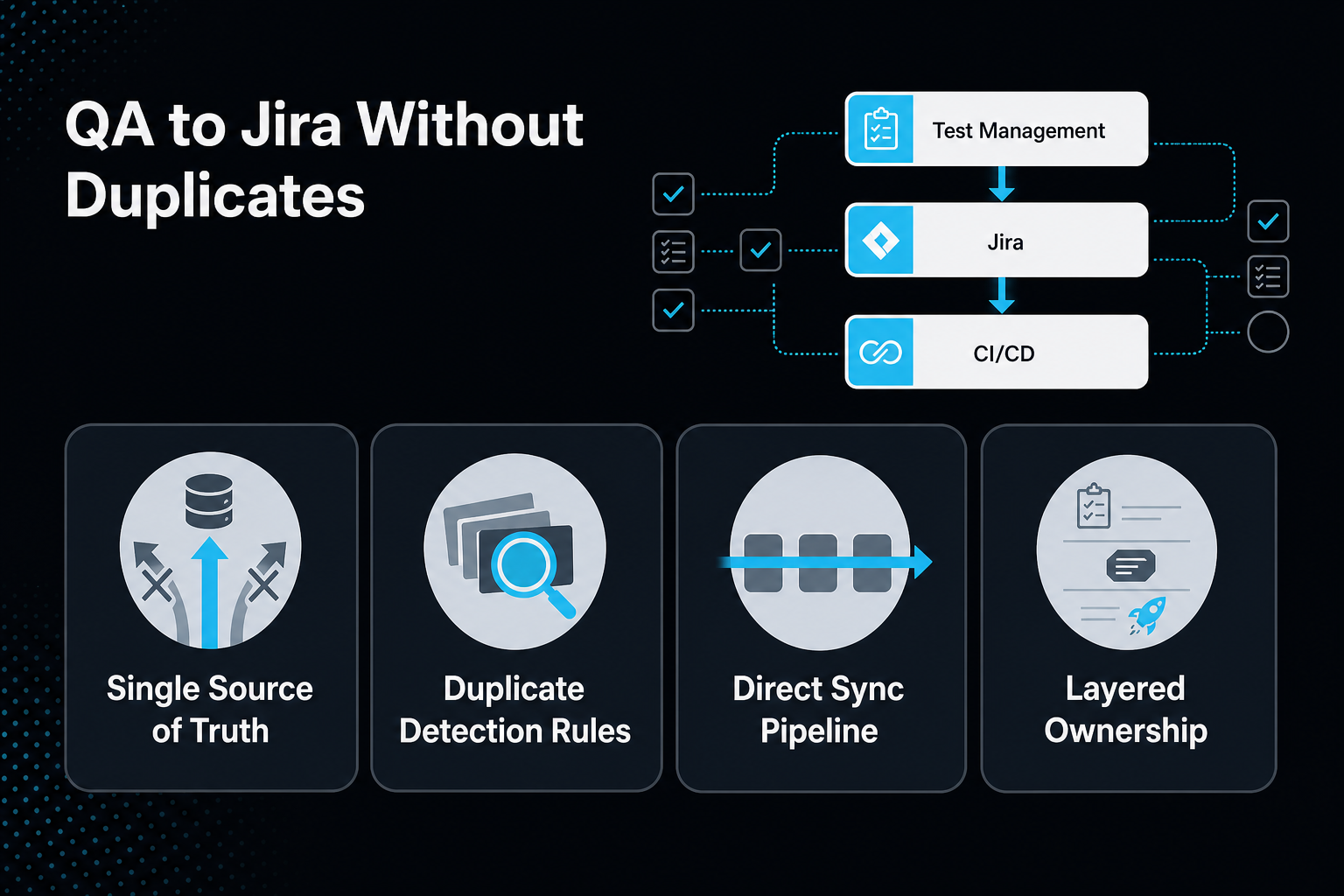
Connecting QA automation to Jira without duplicate workflows requires three things working together: a single source of truth for test cases, automation rules that catch duplicate tickets before they're created, and a direct sync between your test management layer and Jira's defect tracker so results flow one way instead of getting re-entered by hand. Teams that skip any one of these end up with the same bug logged three times under three different summaries, QA leads manually cross-referencing spreadsheets, and developers losing trust in the bug queue. Get the architecture right and Jira becomes the connective tissue between testing and delivery instead of another system someone has to babysit.
TL;DR
- Duplicate tickets start with duplicate sources of truth: when test cases exist in a spreadsheet, a test management app, and Jira all at once, duplication is structural, not accidental.
- Jira test management works best as a thin layer, not a parallel system, letting dedicated test case tools own test data and Jira own defect workflow.
- Automation rules and JQL queries can flag and link likely duplicate tickets automatically based on matching summaries, rather than relying on manual review.
- Jira defect tracking should sync bi-directionally with your automation suite so failed test runs create or update tickets without a human re-typing reproduction steps.
- Integrating your automation framework with Jira ensures coverage reports and defect tracking stay connected without extra engineering work.
About the Author: MuukTest has spent more than a decade building and maintaining automated test suites for scaleups and engineering teams, with its QA engineers regularly wiring test automation frameworks into clients' existing Jira instances and bug trackers as part of fully managed service delivery.
Why Do QA Workflows End Up Duplicated in Jira?
Duplication in Jira almost always traces back to multiple tools trying to own the same piece of information. A QA team tracks test cases in a spreadsheet or a standalone test management tool, logs defects directly in Jira, and then someone manually copies results between the two because no system owns the full picture. The result: the same defect gets filed by a tester, then again by a developer who reproduces it independently, then a third time when a customer support ticket gets escalated.
Think of it like two people updating the same shared document from separate copies on their own laptops. Each edit looks correct in isolation, but nobody's version matches once you compare them side by side. The fix isn't more diligence, it's removing the second copy entirely.
As development velocity accelerates, testing becomes a more visible bottleneck. More code shipped faster means more defects surfacing faster, and a ticketing process that relies on manual cross-referencing simply can't keep pace.
What Does Good Jira Test Management Actually Look Like?
Jira test management, done well, means Jira handles workflow and status while a dedicated test case management layer handles test data, steps, and execution history. Jira is not built to be a test case repository; it's built to track issues through a lifecycle. Forcing test cases into Jira issues as a workaround tends to produce bloated boards, inconsistent fields, and no clean way to report on coverage.
A cleaner split looks like this:
| Layer | Owns | Example |
|---|---|---|
| Test management app | Test cases, steps, execution history, coverage reporting | Zephyr, Xray, or a dedicated automation framework's own reporting |
| Jira | Defect lifecycle, assignment, status, sprint planning | Bug tickets, linked issues, workflow transitions |
| CI/CD pipeline | Test execution triggers, pass/fail signals | Automated runs that feed results into both layers above |
Best practice here is to sync the test management tool directly with Jira so that executions and reproduction steps update automatically, instead of someone manually pasting results into a ticket description after the fact. When that sync is in place, a failed test run in your pipeline creates or updates a Jira ticket with the exact steps, environment, and logs attached, with no manual re-entry step to introduce drift between what actually happened and what's documented.
Once that ticket exists, defect tracking discipline takes over and determines whether the issue stays clean or multiplies.
How Do You Prevent Duplicate Tickets in Jira Defect Tracking?
Jira defect tracking stays clean when duplicate detection happens automatically, before a ticket gets created, not after a human notices two tickets describing the same bug. The most reliable method combines a search-before-create policy with Jira Automation rules that use JQL queries to flag tickets with matching summaries, components, or stack traces.
Here's a practical sequence:
- Enforce search-before-create: require testers and automated systems to query existing open tickets for matching keywords before filing a new one. This is a process rule, not a technical one, but it catches a meaningful share of duplicates before they happen.
- Build a JQL-based automation rule: configure Jira Automation to scan new tickets against open issues with similar summaries and auto-link or flag likely duplicates for review.
- Use linked issues deliberately: when a duplicate does slip through, link it to the original rather than closing it silently, preserving the reporter's context and reproduction details for traceability [ones.com].
- Standardize ticket fields: a consistent template for environment, steps to reproduce, expected versus actual behavior, and severity makes pattern matching (human or automated) far more reliable [shotmark.dev][dev.to].
Why does this matter beyond tidiness? A cluttered defect tracker erodes trust. Developers start ignoring the bug queue if half of it is noise, and that's a much harder problem to reverse than preventing the duplication in the first place.
How Should Test Automation Tools Connect to Jira Without Adding a Parallel System?
Automation tools should connect to Jira through an integration that pushes results into existing tickets and workflows, not through a separate dashboard that forces someone to reconcile two systems manually. The test here is simple: if your QA engineers need to check two places to know the real status of a defect, the integration isn't done yet.
A well-integrated setup typically includes:
- One-way or bi-directional sync for status: when a bug is fixed and verified in the test suite, the Jira ticket transitions automatically rather than waiting on a manual status change.
- Attached artifacts, not pasted text: screenshots, logs, and video from failed runs attach directly to the ticket instead of being described secondhand.
- Consistent labeling across environments: staging and production defects should be distinguishable at a glance, which prevents a fix verified in staging from being mistaken for a production fix.
- Framework-agnostic hooks: test results from Playwright, Selenium, or Appium should integrate at the CI/CD layer rather than inside the test framework itself, since each framework produces different output formats that need normalizing before they land in Jira.
Integrating your automation framework directly into Jira from the start eliminates the need to retrofit connectors later. This means defect data, coverage reports, and ticket status move between systems without someone manually keeping them in sync, letting your team focus on testing strategy instead of data reconciliation.
What's the Difference Between Test Case Management in Jira and a Dedicated Test Tool?
Test case management in Jira (using native issues or basic plugins) focuses on lightweight tracking inside your existing workflow, while a dedicated test management tool focuses on structured test design, execution history, and coverage analytics. Neither replaces the other; they solve different problems, and conflating them is a common root cause of the duplication this article opened with.
Jira-native test tracking works well for small teams with simple test suites who want everything in one tool and don't need deep execution analytics. Dedicated test management tools work better for teams running hundreds or thousands of automated tests who need to trace a specific test case through multiple releases, environments, and failure patterns over time.
The decision point isn't which tool is "better" in the abstract, it's test volume and reporting complexity. A team running 50 manual regression checks a release can likely live inside Jira comfortably. A team running thousands of automated tests across web, mobile, and API layers needs a system built for that scale, synced into Jira rather than crammed inside it.
Frequently Asked Questions
Does Jira work as a standalone test case management tool?
It can for small, low-volume teams, but Jira wasn't purpose-built for structured test case design or execution reporting. Most teams running substantial automated suites pair Jira with a dedicated test management tool synced into it.
What's the fastest way to reduce duplicate bug tickets in Jira?
Set up a Jira Automation rule using JQL to flag new tickets with summaries matching open issues, combined with a team policy requiring a search before filing anything new.
Can automated test results create Jira tickets automatically?
Yes, when the automation framework or test management tool is integrated with Jira's API, failed test runs can generate or update tickets automatically, attaching logs and reproduction steps without manual entry.
Should QA and development use the same Jira project or separate ones?
This depends on team structure, but linking issues across projects (rather than duplicating them into a second project) preserves traceability better than maintaining two parallel boards.
Does a managed QA service mean losing control of the Jira integration?
Not with a properly managed model. With MuukTest, tests live as standard Playwright TypeScript in your own repository, and results flow into your existing Jira workflow, so there's no dependency lock-in.
How do self-healing test scripts affect Jira defect tracking?
Self-healing scripts reduce false-positive failures caused by minor UI changes, which means fewer noise tickets land in Jira and the defects that do get logged are more likely to represent real bugs. MuukTest, for example, uses Amikoo, MuukLabs' AI testing tool, to repair broken tests and separate real product defects from test issues, so the tickets that reach Jira represent real bugs.
About MuukTest
MuukTest is a managed QA service that builds and maintains automated test suites for lean engineering teams. The company builds frameworks on industry-standard tools like Playwright, Selenium, and Appium, and clients fully own the resulting automation framework. This approach lets teams reach broad test coverage in weeks while avoiding the exit costs that come with proprietary testing platforms. MuukTest works as a managed QA partnership that extends lean engineering teams, covering web, mobile, API, regression, and end-to-end testing without requiring additional hires. Behind the service are expert Forward Deployed QAs, who decide what to cover, which workflows matter, and where the real risk is, working with Amikoo, MuukLabs' AI tool for test generation, repair, maintenance, and defect detection.
If duplicate tickets, manual syncing, or disconnected QA reporting are slowing down your release cycle, visit MuukTest to see how a managed automation framework can connect directly into your existing Jira workflow.
