

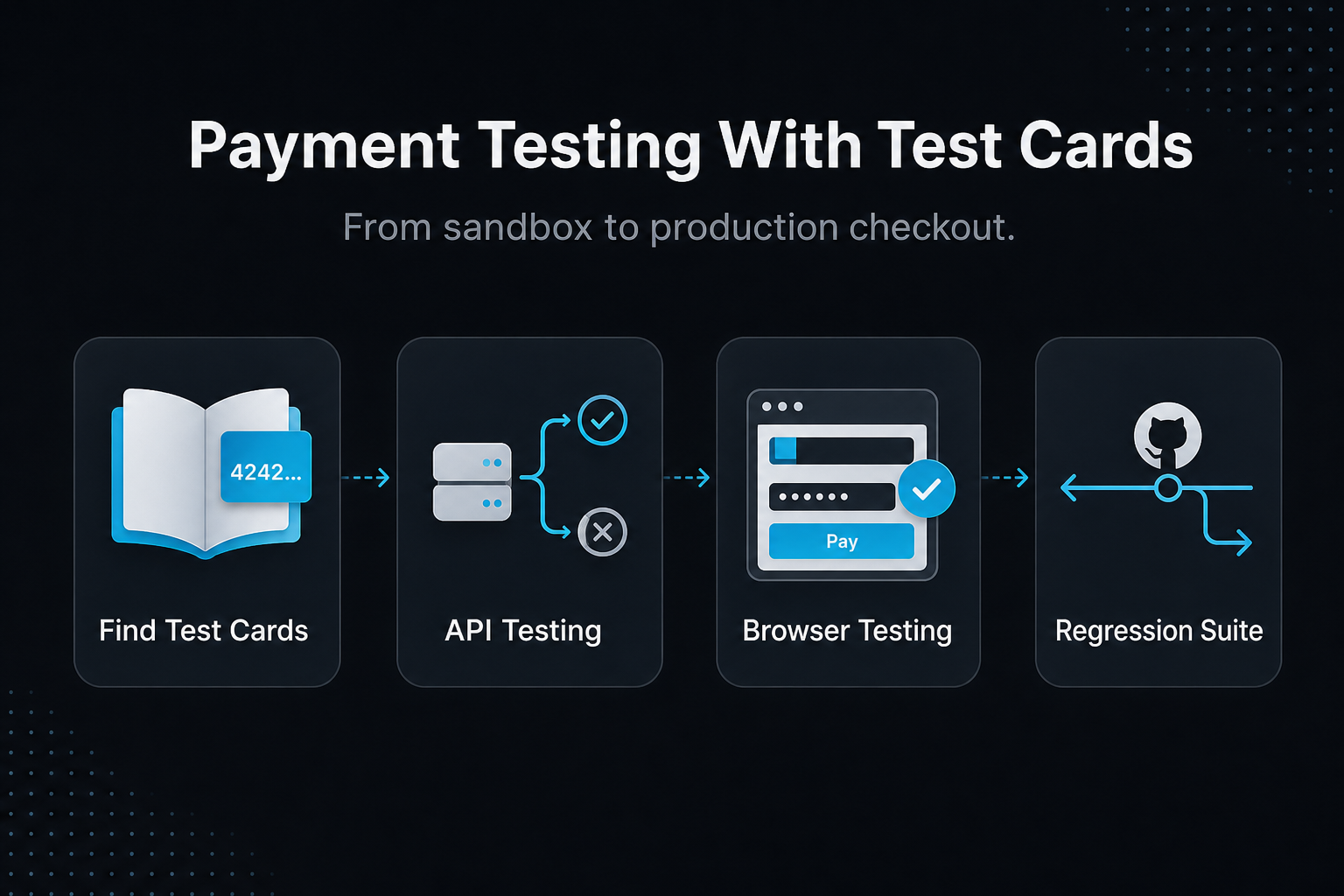
A broken checkout flow is one of the most expensive bugs a fintech or e-commerce team can ship, and it's also one of the easiest to catch before release. Every major payment provider publishes its own set of test card numbers specifically so engineering teams can exercise successful charges, declines, insufficient-funds responses, and 3D Secure challenges without ever touching real cardholder data. The practical question isn't whether to test payment flows, it's whether those test cards are wired into the regression suite that runs on every pull request, or left to a manual pre-release checklist that gets skipped under deadline pressure.
TL;DR
- Every major provider publishes its own test cards. Stripe, Adyen, Braintree, and PayPal each maintain a public sandbox card list, so there's never a reason to use a real card number in a test environment.
- Different test cards simulate different outcomes. Successful charges, generic declines, insufficient funds, expired cards, and 3D Secure challenges each have their own dedicated test values.
- API-level testing confirms the contract. Checking response codes against a provider's sandbox API verifies that your integration handles approvals and declines correctly before a human ever sees the UI.
- End-to-end testing with Playwright confirms the experience. Filling payment forms, handling 3D Secure pop-ups and iframes, and asserting on the final success or error state closes the loop between API behavior and what a customer actually sees.
- Checkout belongs in the regression suite, not a manual checklist. It's the flow that costs the most when it breaks, which is exactly why it should run on every pull request and release.
About the Author: This article is published by MuukTest, a managed QA service that builds and maintains automated regression suites for growing engineering teams, including the payment and checkout flows that run inside them.
Where Can You Find Official Test Card Numbers for Payment Testing?
Every major payment provider publishes a dedicated set of test card numbers in its own developer documentation, built specifically to simulate successful charges, declines, and edge cases without moving real money or touching real cardholder data. Using anything other than a provider's own published test values in a sandbox environment is unnecessary at best and against the provider's terms at worst.
| Provider | What It Simulates | Example Test Card |
|---|---|---|
| Stripe | Successful payment | 4242 4242 4242 4242 |
| Stripe | Generic decline | 4000 0000 0000 0002 |
| Stripe | Insufficient funds decline | 4000 0000 0000 9995 |
| Stripe | Requires 3D Secure authentication | 4000 0025 0000 3155 |
| Adyen | Successful Visa payment | 4111 1111 1111 1111 |
| Adyen | Successful Mastercard payment | 5555 5555 5555 4444 |
| Braintree | Valid Visa payment | 4111 1111 1111 1111 |
| Braintree | Processor decline | 4000 1111 1111 1115 |
| PayPal | Valid Visa payment | 4005 5192 0000 0004 |
Each provider pairs these numbers with its own rules for expiration date and CVV: Stripe and Braintree accept any future expiration date and any 3-digit CVV (4 digits for Amex) on their test cards, while Adyen's published test cards ship with a fixed expiry and CVV that must be used as documented. Always pull the current list directly from the provider's own docs before wiring new test cases, since providers occasionally rotate or add test values.
How Do You Test Card Payments Through the Provider's API?
API-level testing confirms that your integration handles a provider's responses correctly before a human ever interacts with a checkout page. The pattern is consistent across providers: create a test payment or charge object using a sandbox API key, pass in one of the published test card numbers, and assert on the response code your code receives back.
- Create and confirm in the sandbox: Use the provider's sandbox or test-mode API credentials, never live keys, to create a payment intent, charge, or transaction object against a test card.
- Assert on the response, not just the HTTP status: A successful HTTP response can still carry a decline inside the payload. Check the provider-specific status field (for example, a Stripe PaymentIntent's status, or a Braintree transaction's processor response code) to confirm the outcome matches what the test card is supposed to simulate.
- Cover both branches for every integration point: For each place your code calls a payment API, write at least one test for the success path and one for a decline, so a regression in error handling doesn't ship silently alongside a working happy path.
- Keep test and production credentials in separate environment configs: A sandbox key accidentally pointed at production, or vice versa, is a common source of either false test passes or exposed test traffic in live systems.
How Do You Test the Checkout Flow End to End With Playwright?
API-level tests confirm the contract between your code and the payment provider, but they don't confirm what a customer actually experiences in the browser. End-to-end testing with Playwright fills that gap by driving the real checkout UI with a test card and asserting on the final state the user sees.
- Fill the payment form like a real user would: Use Playwright's locator API to fill card number, expiry, and CVV fields with a published test card, including provider-hosted iframes where the card fields themselves live outside your own page's DOM.
- Handle 3D Secure pop-ups and iframes explicitly: Providers that trigger 3D Secure in test mode (Stripe's 4000 0025 0000 3155, for example) open an authentication challenge inside an iframe or a separate window. Playwright can target that frame directly and complete the test-mode challenge, which usually just requires clicking a "Complete" or "Authorize" button in the sandbox version of the flow.
- Assert on the customer-facing outcome: Check for the actual success confirmation, order number, or error message the user would see, not just that the network request resolved. A test that only checks the API response can pass while the UI silently fails to show the confirmation.
- Cover the decline path in the UI too: A decline test card should produce a clear, user-visible error state in your checkout flow, not a blank screen or a generic 500 error. That's a UX bug a passing API test alone will never catch.
Why Should Payment Flows Stay in the Regression Suite?
Checkout is usually the single flow with the most direct revenue impact in a product, which makes it the worst possible candidate for ad hoc or manual testing. A payment bug that reaches production doesn't just create a support ticket, it can block every customer trying to pay at the same time.
Running payment tests on every pull request, rather than as a pre-release manual pass, catches a broken checkout before it merges instead of after it ships. That means covering the success path, at least one decline scenario, and any provider-specific flow like 3D Secure, every time the checkout code or its dependencies change, not just before a major release.
A quick note on scope: test cards exist specifically so this kind of testing can run continuously without ever touching real cardholder data, which keeps checkout testing inside the same automated suite as the rest of regression, rather than requiring a separate, more sensitive testing process.
Frequently Asked Questions
Can I use real card numbers to test a payment integration?
No. Every major provider explicitly requires sandbox or test-mode credentials and publishes dedicated test card numbers for this reason. Using a real card number in a test environment is unnecessary and, depending on the provider's terms, not permitted.
Do test card numbers work the same way across providers?
The concept is the same, but the specific numbers and supporting details (expiration date, CVV, required test amounts) differ by provider. Always use the test card list published in that provider's own current documentation.
How do I test a 3D Secure challenge without a real bank?
Providers that support 3D Secure in test mode pair specific test card numbers with a simulated authentication challenge. Playwright can interact with that challenge inside its iframe or pop-up the same way it would any other UI element, completing the sandbox version of the flow without any real bank involved.
Should payment testing be handled separately from the rest of QA?
No. Payment and checkout flows belong inside the same regression suite as the rest of the application, run on every pull request, rather than carved out as a separate manual process.
About MuukTest
MuukTest is a managed QA service that builds and maintains automated test suites for lean engineering teams. The company builds frameworks on industry-standard tools like Playwright, Selenium, and Appium, and clients fully own the resulting automation framework. This approach lets teams reach broad test coverage in weeks while avoiding the exit costs that come with proprietary testing platforms. MuukTest works as a managed QA partnership that extends lean engineering teams, covering web, mobile, API, regression, and end-to-end testing without requiring additional hires. Behind the service are expert Forward Deployed QAs, who decide what to cover, which workflows matter, and where the real risk is, working with Amikoo, MuukLabs' AI tool for test generation, repair, maintenance, and defect detection.
If your checkout flow isn't covered by an automated test suite that runs on every pull request, talk to MuukTest about building that coverage alongside the rest of your regression tests.
References
- Test card numbers | Stripe Docs (docs.stripe.com)
- Test card numbers | Adyen Docs (docs.adyen.com)
- Testing | Braintree Developer Docs (developer.paypal.com)
- Card testing | PayPal Developer (developer.paypal.com)
