
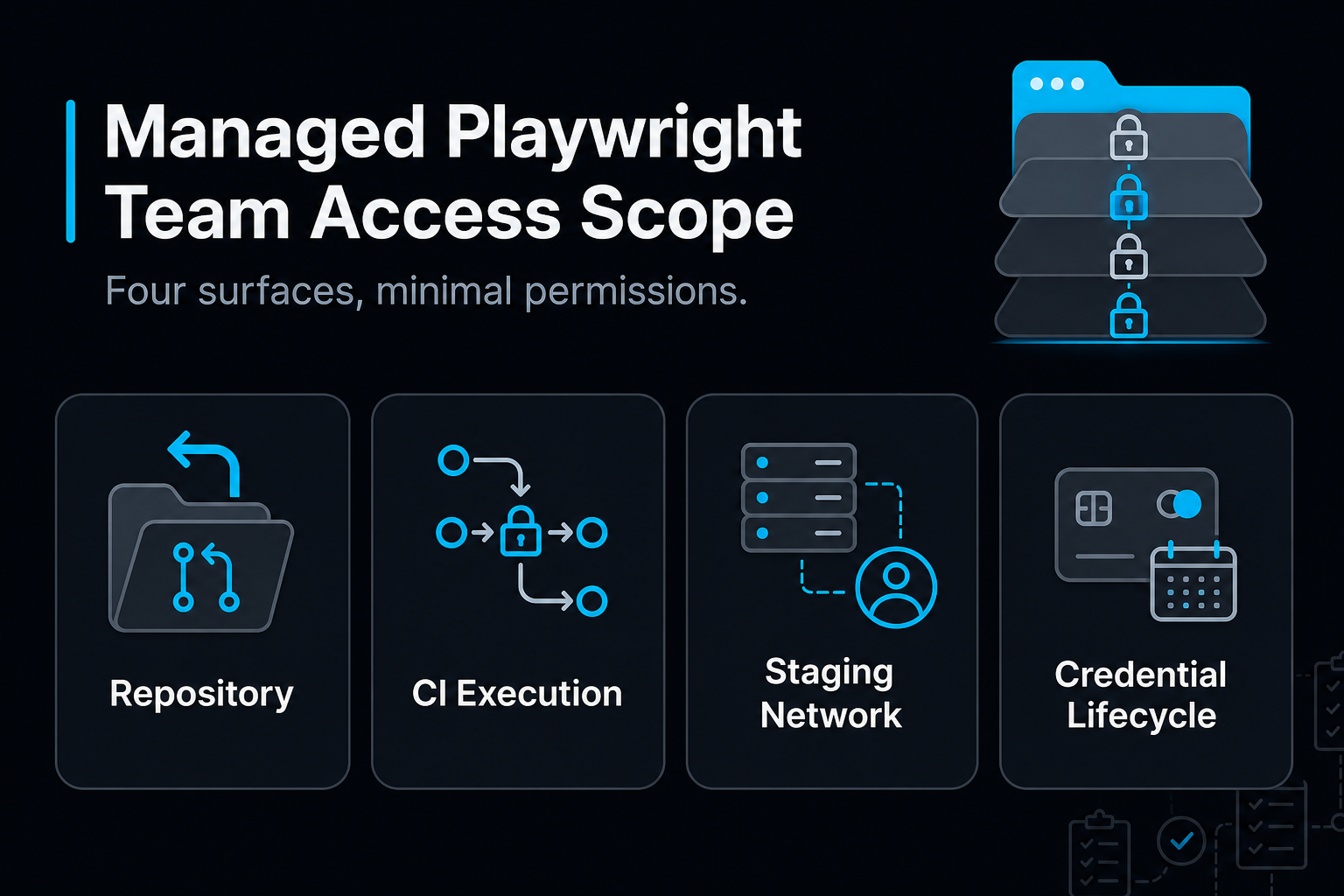
A managed Playwright team needs less access than most security reviews assume. It needs:
- Read access to the repositories under test.
- The ability to open pull requests for test code.
- Permission to trigger and read CI runs, plus a few CI secrets for staging test accounts.
- Network reach to staging.
It needs no production access, no admin rights, and no real customer data. When a managed team builds standard Playwright TypeScript suites that sit in your own repository and run in your pipeline, the access question gets simpler. That makes scoping access one of the first technical conversations worth having.
TL;DR
- Repo: A read-only deploy key or a fine-grained token scoped to one repository covers checkout. Test code arrives as reviewed pull requests.
- CI: Keep Playwright GitHub Actions permissions read-only by default and store only test-account secrets.
- Staging: Grant network reach, role-based test accounts, and seeded data. Production stays off the table.
- Lifecycle: Every credential should expire and belong to your organization, so ending an engagement never costs you the tests.
About the Author: This guide draws on experience building and maintaining automated test suites inside client repositories and CI/CD pipelines.
Why should access be scoped before a managed qa engagement begins?
The access request is the first thing your security team reviews, so scoping it up front keeps a managed qa engagement moving. Good vendor access management rests on one rule: each credential matches a specific task and expires when the task ends.
Think of a house-sitter. You hand over the front door key and the alarm code, not the safe combination, because a key only opens the doors it fits. A token scoped to one repository can only expose one repository. That limits the damage from a leak, and it makes approval faster.
| Surface | What the team does there | Minimum access |
|---|---|---|
| Repository | Reads app code, proposes test changes | Read, plus pull requests on branches |
| CI | Runs suites, reads results | Trigger workflows, download artifacts |
| Staging | Executes tests against the running app | Network reach and test accounts |
The repository carries the most nuance, so start there.
Repository access: read by default, pull requests for test code
Following that rule, a Playwright framework typically needs only read-only repository access to check out code and run tests. Write access becomes necessary in two cases:
- Committing test code.
- Publishing reports or updating commit statuses, if your pipeline is configured to do so.
Picking the right credential
- GitHub deploy keys: A deploy key is an SSH key attached to a single repository. It is read-only unless you explicitly enable write access, which suits a machine that only needs to clone.
- GitHub fine-grained tokens: These tokens are limited to selected repositories and specific permissions, and they carry an expiration date. Organization owners can require approval before a token can reach organization repositories.
- Named accounts: qa engineers get a role on specific repositories, so their work appears under their own names in your history.
Landing test code safely
- Branch protection stays on: Test changes arrive as pull requests that your engineers review, like any other code.
- CODEOWNERS for the test folder: This file routes test reviews to the right people without widening anyone's permissions.
Once test code can land in the repository, the next question is who runs it.
What CI access is needed to run Playwright GitHub Actions?
A related but distinct question is execution. Playwright runs inside GitHub Actions, GitLab CI, Jenkins, or CircleCI as CLI commands in the pipeline configuration, often using the official Playwright Docker image. Credentials come in through the platform's secret manager or through OIDC tokens. For Playwright GitHub Actions specifically, four practices cover most of the risk:
- Read-only by default: Set the workflow's GITHUB_TOKEN to contents: read. Grant write scopes only to the job that posts reports or statuses.
- Isolate untrusted pull requests: GitHub withholds repository secrets from fork-triggered pull_request runs by default. Avoid workarounds that expose those secrets or write permissions to code from forks.
- Environment secrets: Store staging credentials in a GitHub environment with protection rules. The workflow then injects them as environment variables.
- Artifacts instead of runner access: Upload the HTML report and traces as workflow artifacts. Anyone investigating a failure can download them without logging into a runner.
Playwright parallel execution depends on capacity, not permissions. Playwright spreads tests across worker processes on one machine, and the --shard flag splits a suite across several CI jobs. Faster feedback is therefore a runner budget decision rather than a security one.
Tests that run in CI still need an application to test against.
What does a managed qa team need to reach your staging environment?
Staging access has three parts: network, credentials, and data.
- Network reach: If staging sits behind a VPN or IP allowlist, CI runners need a way in. A fixed egress IP or a self-hosted runner is usually easier to govern than individual VPN accounts.
- Credentials: Create one test account per user role and inject the credentials as environment variables. Playwright's httpCredentials option handles Basic Auth gates.
- Configurable base URL: A configurable baseURL lets the same suite target staging, preview, or ephemeral environments.
- Data: Provide seeded records or a reset script so every run starts from a known state. Synthetic data also keeps real cardholder and personal data out of testing.
With the required access defined, the remaining list covers what to withhold.
What access should you never grant an external qa team?
A short list of permissions should stay with your own team, whoever builds your tests.
| Withhold | Why | Grant instead |
|---|---|---|
| Production credentials or databases | Regression suites belong in pre-production | Staging or ephemeral environments |
| Organization owner or repository admin | Admins can change branch protection and secrets | A write role on named repositories |
| Shared logins | They leave no audit trail | Named accounts or machine credentials |
| Non-expiring tokens | They outlive the engagement | Fine-grained tokens with expiry dates |
Withholding these rarely slows the testing work. It keeps control of the repository and its secrets with your team.
How do you manage vendor access over the life of an engagement?
Access needs ongoing upkeep, because managed qa services widen coverage as your product grows.
- Keep an inventory: List each credential with its owner, scope, and expiry date.
- Review on a schedule: Check the GitHub organization audit log and remove anything unused.
- Offboard in one pass: Revoke deploy keys, remove collaborators, and delete environment secrets.
Offboarding should remove the vendor, never the test suite. Forward Deployed QAs decide what to cover, which workflows matter, and where the real risk is. Amikoo, MuukLabs' AI tool, generates, repairs, and maintains standard Playwright TypeScript tests in your own repository.
Frequently Asked Questions
Does a managed Playwright team need write access to my main branch?
No. Write access to feature branches is enough. Test code reaches main through pull requests, and branch protection on main stays in place.
Should I use a deploy key or a fine-grained token?
Use a deploy key when a machine only needs to clone one repository. Use fine-grained tokens or named accounts when people need to open pull requests.
Can the tests run in our own CI?
Yes. Playwright runs anywhere its CLI can run. MuukTest runs suites either on its cloud or in your CI/CD.
Does the team ever need production access?
Not for regression or end-to-end suites. Staging, preview, or ephemeral environments cover that work.
What is qa as a service, and how does its access differ from a new hire's?
qa as a service is a model in which an external team owns test design, automation, and maintenance as an outcome. Its access is narrower than a new hire's: it covers scoped repositories, test secrets, and staging only.
About MuukTest
MuukTest is a managed qa service that builds and maintains automated test suites for lean engineering teams. The company builds frameworks on industry-standard tools like Playwright, Selenium, and Appium, and clients fully own the resulting automation framework. This approach lets teams reach broad test coverage in weeks while avoiding the exit costs that come with proprietary testing platforms. MuukTest works as a managed qa partnership that extends lean engineering teams, covering web, mobile, API, regression, and end-to-end testing without requiring additional hires. Behind the service are expert Forward Deployed QAs, who decide what to cover, which workflows matter, and where the real risk is, working with Amikoo, MuukLabs' AI tool for test generation, repair, maintenance, and defect detection.
If you are scoping access for a managed qa engagement and want a second opinion on the plan, the MuukTest team can walk through it with you. Learn more at https://muuktest.com/.
References
- Playwright CI/CD documentation (playwright.dev)