Most accessibility problems that ship to production aren't exotic edge cases, they're missing labels, broken keyboard navigation, and color-contrast failures that automated tooling catches in seconds. The question for most engineering teams isn't whether to run accessibility checks, it's whether those checks live inside the regression suite that already runs on every pull request, or sit off to the side as a separate audit nobody has time for.
TL;DR
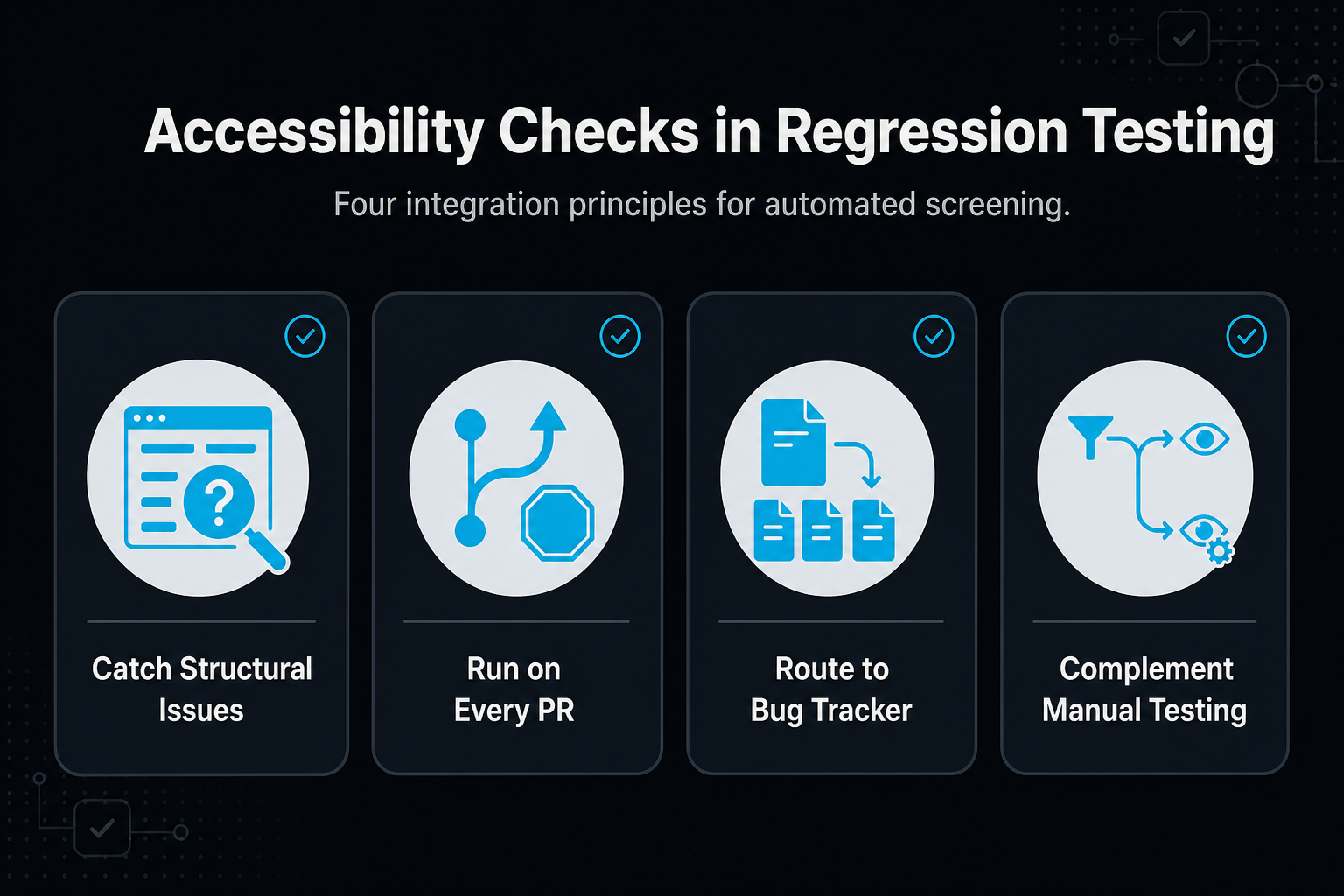
- Automated accessibility checks catch structural issues like missing alt text, missing form labels, and contrast failures, plus keyboard traps when the suite includes scripted keyboard navigation, the same class of problem a regression suite already exists to catch.
- Running checks on every pull request stops accessibility debt from accumulating the way a once-a-quarter audit does.
- Automated checks aren't a substitute for manual testing with real assistive technology; they're a first-pass filter that keeps obvious regressions out of production.
- Treating accessibility checks like any other regression test, same pipeline, same bug tracker, keeps them from becoming a separate workstream.
- A managed QA partner can fold accessibility checks into the regression suite it already builds and maintains, instead of running a parallel audit process.
About the Author: This article is published by MuukTest, a managed QA service that builds and maintains automated regression suites for growing engineering teams, including accessibility checks that run inside Playwright end-to-end tests.
Why Treat Accessibility Checks as Part of Regression Testing, Not a Separate Audit?
Regression testing exists to catch the thing that used to work and now doesn't. Missing alt text, a keyboard trap in a modal, a form label that got dropped in a refactor, these are regressions in the same sense as a broken button: something that worked before and doesn't anymore. Treating them as a separate accessibility initiative, scheduled as its own audit cycle, means they wait in a queue instead of getting caught the moment they're introduced.
Think of it the way you'd think of a broken-link checker: nobody schedules a quarterly broken-link audit, because the tooling that catches it runs continuously as part of normal testing. Accessibility checks that run inside the same suite follow the same logic.
What Can Automated Accessibility Checks Actually Catch?
Automated checks are good at verifying code-level patterns: missing or duplicate form labels, insufficient color contrast, missing alt text on images, and keyboard traps where focus gets stuck inside a component and can't tab back out. These are the same categories of issue that show up as real bugs when a sighted, mouse-using tester never notices them, but a screen-reader user or keyboard-only user hits immediately.
What automated checks can't do is judge whether an experience actually makes sense when navigated with a screen reader, or whether a complex interaction is usable for someone using a switch device. That's a real limit worth naming rather than glossing over: automated checks are a first-pass filter, not a full accessibility audit.
How Does an Accessibility Check Fit Into a CI/CD Pipeline?
The same way any other regression check does: it runs on every pull request, flags a failure when it catches a new issue, and routes findings into the same bug tracker your engineers already use for everything else. That's the difference between an accessibility check that actually works and one that quietly stops running: if it needs a separate dashboard, a separate ticket queue, or a human to kick it off, it tends to stop happening after the first few sprints.
Three questions to ask about how a check is actually wired in:
- Does it run on every pull request, or only on a schedule? A weekly scan misses whatever shipped Tuesday and got noticed by a customer Wednesday.
- Does a failure block the build, or just log a note nobody reads? A check with no consequence for failing tends to get ignored the same way a flaky test does.
- Do findings land in the bug tracker your engineers already use? A separate tool means a separate habit nobody builds.
What Should You Expect From a Managed QA Partner on Accessibility?
A managed QA partner that already builds and maintains your regression suite is in a good position to add accessibility checks to that same suite, rather than standing up a second, parallel testing relationship. The goal isn't a bigger report, it's fewer accessibility regressions reaching production, caught by the same pipeline that already catches everything else.
| What to Ask | Good Sign | Red Flag |
|---|---|---|
| Where do checks run? | Inside the same CI/CD pipeline as the rest of the regression suite | A separate, standalone accessibility scanning tool |
| How often do they run? | On every pull request | On a monthly or quarterly schedule |
| Where do findings go? | The same bug tracker your team already uses | A separate report or dashboard |
| What happens on a failure? | The build flags it the same way any other regression failure gets flagged | Nothing; findings pile up unreviewed |
Frequently Asked Questions
Can automated accessibility checks replace manual testing with assistive technology?
No. Automated checks catch code-level issues like missing labels, poor contrast, and keyboard traps, but they can't judge whether an experience is actually usable with a screen reader or switch device. They're a first-pass filter inside the regression suite, not a full accessibility audit.
Where should accessibility checks run in the development process?
Inside the same CI/CD pipeline as the rest of the regression suite, triggered on every pull request, so a new issue gets caught the moment it's introduced rather than during a periodic audit.
What kinds of issues do automated accessibility checks catch?
Missing or duplicate form labels, insufficient color contrast, missing alt text on images, and keyboard traps where focus gets stuck inside a component.
Does adding accessibility checks slow down releases?
Not if they run the same way any other regression check does: automatically, on every pull request, without a separate review step.
Does a managed QA partner need to specialize in accessibility to add these checks?
No. A partner that already builds and maintains your regression suite can add accessibility checks to that same suite rather than standing up a separate testing relationship.
About MuukTest
MuukTest is a managed QA service that builds and maintains automated test suites for lean engineering teams. The company builds frameworks on industry-standard tools like Playwright, Selenium, and Appium, and clients fully own the resulting automation framework. This approach lets teams reach broad test coverage in weeks while avoiding the exit costs that come with proprietary testing platforms. MuukTest works as a managed QA partnership that extends lean engineering teams, covering web, mobile, API, regression, and end-to-end testing without requiring additional hires. Behind the service are expert Forward Deployed QAs, who decide what to cover, which workflows matter, and where the real risk is, working with Amikoo, MuukLabs' AI tool for test generation, repair, maintenance, and defect detection.
If your regression suite doesn't catch accessibility issues yet, talk to MuukTest about adding automated checks to the pipeline you already run.
